Every Query Has a Price: The Hidden Data Economy Embedded in Your Browser's Address Bar
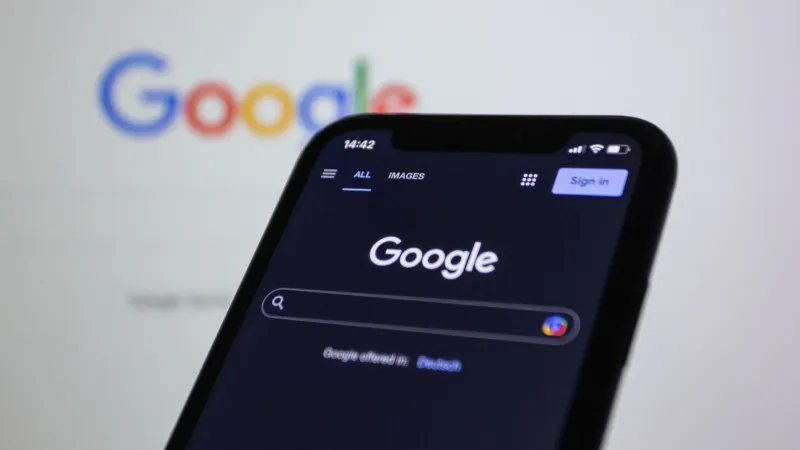
The Address Bar Is Not a Local Feature
For most users, the browser's address bar feels like a private space — a place to type a destination or a question before the web begins. This intuition is wrong in ways that have significant consequences for personal privacy. In the majority of mainstream browsers, every keystroke entered into the address bar is transmitted to a remote server in near real-time, before the user has pressed Enter or made any deliberate choice to search.
This is the autocomplete system at work. To generate suggestions, the browser must send partial query strings to a suggestion endpoint — typically operated by the default search provider, which is frequently the browser vendor itself or a commercial partner paying for default placement. The result is that your exploratory typing, your half-formed questions, your searches you ultimately abandon, are all logged on servers you do not control, associated with identifiers that may persist across sessions.
Tracing the Data Flow
The architecture of a typical autocomplete request is worth examining in detail. When a user types in the address bar, the browser waits a short debounce interval — often 100 to 300 milliseconds — and then sends an HTTP request to a suggestion API endpoint. The request includes the partial query string, a client identifier (which may be a persistent token, a device fingerprint component, or an account identifier if the user is signed in), and metadata such as locale and browser version.
The suggestion server returns a ranked list of completions. Simultaneously, the browser may consult its local history index, bookmarks, and open tabs to generate additional suggestions from on-device data. In browsers with sync enabled, that local history index is itself a mirror of a cloud-stored history corpus, meaning the "local" suggestions are derived from data that has already transited the vendor's servers.
The data flows that result from a single browsing session can be substantial. A user who types twenty queries in a day — some completed, some abandoned — may generate hundreds of partial-query transmissions, each associated with a timestamp and a client identifier. Aggregated across millions of users, this data constitutes a detailed map of what people are thinking about before they decide to search — arguably more revealing than search results data alone.
What the Partial Query Reveals
Search result data is sensitive, but it represents a decision: the user chose to submit that query. Partial query data represents something more intimate — the process of formulation. A user who types "symptoms of" and then deletes it before typing a specific medical term has revealed a concern they ultimately decided not to commit to a search engine. A user who types a competitor's product name before switching to a different query has revealed a consideration they chose not to act on.
Advertising platforms have long recognized the value of intent signals, and search query data is among the most valuable. Partial query data, to the extent it is retained and analyzed, extends that signal into territory the user never intended to share.
"The assumption that only submitted queries matter is a privacy model that hasn't kept pace with how autocomplete actually works," notes one developer who has contributed to Arora's network request auditing tools. "If I'm building a privacy-respecting application and I rely on a browser that's transmitting keystrokes in real-time, my privacy claims are undermined at the infrastructure level."
History Sync: Convenience as a Collection Mechanism
Beyond autocomplete, browser history synchronization introduces a second data flow that deserves scrutiny. Sync is marketed as a convenience feature — your history, bookmarks, and open tabs follow you across devices. The technical implementation, however, requires that browsing history be uploaded to and stored on the vendor's servers, where it may be subject to retention policies, law enforcement requests, and internal analytics use.
Some browsers encrypt synced data client-side before transmission, meaning the vendor holds ciphertext rather than plaintext history. Others do not. Even where encryption is present, the metadata of sync operations — when syncs occur, how frequently, from which IP addresses — can be informative.
For developers, the implications extend beyond personal privacy. If you are building a web application and your users are browsing it in a mainstream browser with sync enabled, their navigation patterns within your application are potentially contributing to a history corpus on a third-party server. This is rarely disclosed in privacy policies with the specificity users would need to evaluate it.
How Arora Handles Autocomplete and History
Arora's address bar architecture separates on-device suggestion generation from remote query transmission by default. Local history, bookmarks, and open tabs are indexed on-device and queried locally without network transmission. Remote search suggestions are disabled by default; users who want them can enable the feature and choose which suggestion endpoint to query, with a clear disclosure that partial queries will be transmitted to that endpoint.
For users who enable remote suggestions, Arora supports anonymous suggestion endpoints — services that accept queries without requiring client identifiers and that do not log IP addresses. The project maintains a curated list of such endpoints in its documentation, updated by community contributors who audit the privacy policies and technical implementations of suggestion providers.
History synchronization in Arora uses end-to-end encryption with keys that never leave the user's devices. The sync infrastructure stores only ciphertext, and the encryption implementation is open-source and independently auditable — a meaningful distinction from closed-source sync systems where encryption claims cannot be verified.
A Framework for Auditing Your Own Tools
Developers who want to assess whether their own tooling is leaking user intent data can apply a straightforward audit methodology. First, use a network proxy such as mitmproxy or Wireshark to capture all outbound traffic from your browser during a typical session. Identify any requests that are triggered by address bar input before a query is submitted. Note the destination endpoints, the data included in the request, and any persistent identifiers in headers or query parameters.
Second, review the privacy policies of your default search provider and browser vendor for language covering "search suggestions," "address bar data," and "usage data." Pay particular attention to retention periods and data sharing provisions.
Third, if you maintain a web application, consider whether your analytics implementation captures navigation intent signals — partial URL entries, abandoned search inputs within your application — and whether your privacy disclosures accurately represent that collection.
The address bar is not a private space by default. Making it one requires deliberate architectural choices at the browser level — choices that Arora has made explicit rather than leaving to vendor discretion.